
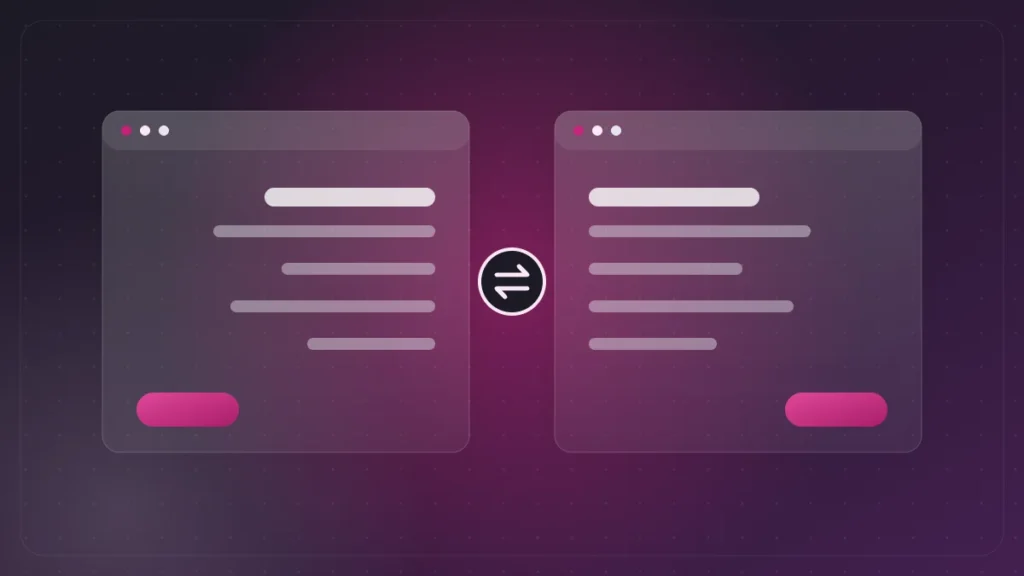
In Saudi Arabia, a bilingual website is often a business requirement rather than a nice extra. Customers may search in Arabic, procurement teams may read in English, and expatriate residents may prefer either. Yet the Arabic version of many sites is clearly an afterthought: translated text squeezed into a left-to-right layout, a language switcher that always sends you back to the homepage, and search engines that cannot tell which version to show to whom.
This guide covers the decisions that make both languages work properly for people and for search engines: structure, language signals, layout, content and the common mistakes to avoid.
1. Give each language its own URLs
Search engines need a distinct, crawlable address for every language version of a page. Google’s guidance on managing multilingual and multi-regional sites recommends separate URLs per language rather than changing content automatically based on cookies or browser settings. The most common structure is subdirectories:
example.com/ar/services/example.com/en/services/
Subdirectories keep everything on one domain, are easy to manage in most content management systems and let both languages benefit from the same site authority. Localised slugs (Arabic words in Arabic URLs) are possible; whichever you choose, apply it consistently.
Avoid automatically redirecting visitors based on their browser language. Let them choose, remember their choice, and make it easy to switch.
2. Tell search engines the versions are related
Use hreflang annotations so Google knows the Arabic and English pages are equivalents. Google’s documentation on telling Google about localized versions of a page sets out the rules. In practice:
- Each version lists itself and every other language version.
- The annotations are reciprocal: if the Arabic page points to the English page, the English page must point back.
- Use the correct language codes, for example
aranden, and add anx-defaultfor the fallback version. - Each version has its own self-referencing canonical URL. Do not point the Arabic page’s canonical to the English page; that tells Google to ignore the Arabic one.
hreflang only works between true equivalents. If an article exists only in English, do not point it at an unrelated Arabic page.
3. Make the language switcher go to the same page
A visitor reading the Arabic version of a service page who switches to English should land on the English version of that service page, not the homepage. This sounds obvious, yet broken switchers are one of the most common faults on bilingual sites, especially for blog posts and product pages created separately in each language. Test the switcher on every template: home, services, blog posts, categories and contact.
4. Build right-to-left properly, not by mirroring screenshots
Arabic pages must declare their direction in the HTML. The W3C recommends setting dir="rtl" on the root html element together with lang="ar", and using logical CSS properties (start and end rather than left and right) so layouts adapt automatically; see its guide to structural markup and right-to-left text. Things to check on every component:
- Navigation, breadcrumbs and pagination flow from right to left.
- Directional icons such as arrows flip; logos, media controls and charts generally do not.
- Form fields for phone numbers and emails behave correctly when users type Latin characters inside an Arabic page.
- Mixed text, such as an English product name inside an Arabic sentence, displays in the right order.
- Arabic fonts are chosen for screen readability at body sizes, not only for headlines.
5. Localise content rather than translating it
Word-for-word translation produces pages that are technically Arabic but read like English. Customers notice, and so does conversion. Localisation means:
- Writing headlines and calls to action that sound natural to Arabic readers.
- Adapting examples, prices, units, dates and holidays to local context.
- Researching keywords separately in each language, because people do not search with translated phrases. Our guide to Arabic keyword research explains why.
- Writing unique page titles and meta descriptions for each language rather than translating them mechanically.
Machine translation can speed up first drafts, but publish only after a fluent editor has reviewed it. Google’s guidance on creating helpful, people-first content applies equally to every language version.
6. Keep everything else language-consistent
- Menus, footers, buttons, form messages, error pages and cookie notices are translated too.
- Article cards, related posts and category labels on an Arabic page show Arabic content only.
- Structured data, social sharing titles and image alt text exist in both languages.
- Emails and WhatsApp auto-replies triggered from each version use the same language as the page.
Bilingual launch checklist
| Check | Pass if… |
|---|---|
| URLs | Every page has a separate Arabic and English URL |
| hreflang | Reciprocal, self-referencing, correct codes, x-default set |
| Canonicals | Each language version canonicalises to itself |
| Switcher | Opens the equivalent page on every template |
| Direction | lang and dir correct on every Arabic page; RTL tested on mobile |
| Content | Localised by a fluent editor; keywords researched per language |
| Metadata | Unique titles and descriptions in each language |
| Interface | No untranslated buttons, labels or messages |
| Related content | Cards and links point to the same-language version |
Common mistakes
- One URL that switches language with a cookie, so search engines only ever see one version.
- hreflang pointing in one direction only, so Google ignores it.
- Arabic pages with English metadata, or English pages showing Arabic article cards.
- A switcher that redirects to the homepage.
- Arabic added after the design is finished, so components break when text runs right to left.
Brand consistency across both languages matters as much as technical correctness; our guide to brand guidelines covers the bilingual rules for typography and layout.
Next step
Open three pages of your site, switch language on each, and check the table above. Note any page where the switcher, direction or metadata is wrong. If you are planning a new site, include these points in your website requirements. Our web development team builds Arabic-first bilingual websites, and our SEO team can audit an existing bilingual site’s language signals. Request a review.
Ready to start? Tell us about your business
We review your request and reply with a clear plan and a quote.
Request a Quote